SchemaStudio
SchemaStudio is a visual designer for JSON and XML schemas. Instead of writing schema files by hand, you build your structure on a canvas, configure field properties through a side panel, and export a clean, standards-compliant schema in one click.
What it does
At its core, SchemaStudio has two modes that work together: Design Mode for building the structure of your data, and Data Entry Mode for filling in records that conform to that structure. You can switch between them freely at any time.
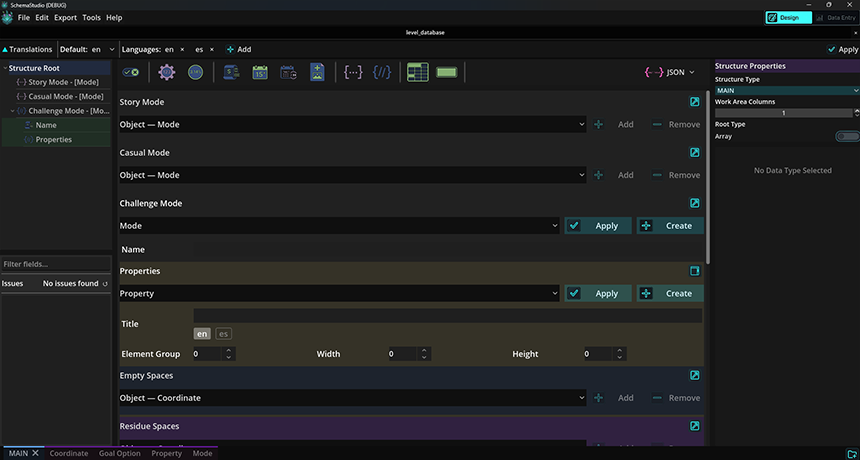
Design Mode — build your schema structure
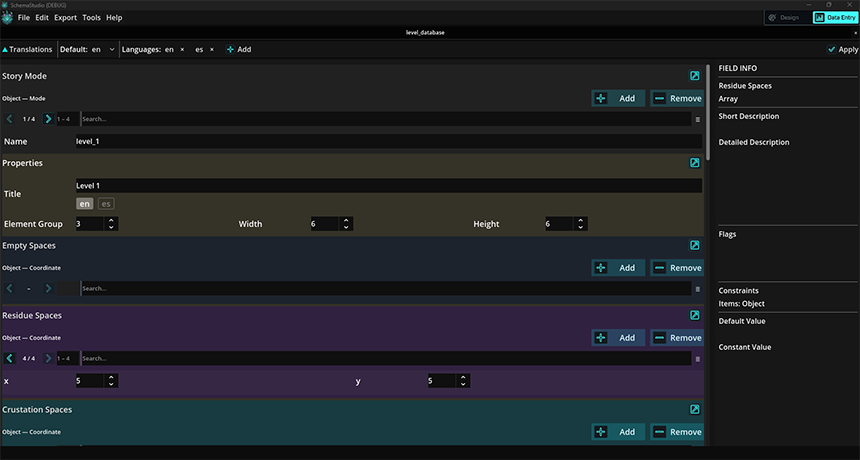
Data Entry Mode — fill in records against the schema
Visual Schema Design
Drag fields onto a canvas, arrange them into tables, and color-code sections for your team — none of it affects the exported output.
Import Existing Schemas
Import a JSON Schema, XSD, or a raw data file. SchemaStudio infers the structure and pre-populates data records when a dataset is provided.
Export Without Memorizing
Every field attribute — enumerations, defaults, constraints — is surfaced in the properties panel so you don't have to recall the spec.
Structured Data Entry
Switch to Data Entry Mode to create and edit records. Constraints you set in Design Mode are enforced here automatically.
Change Tracking
A built-in changelog lets you record why a structural decision was made — useful for solo projects and essential when files pass between team members.
Multiple Projects
Open several projects at once and switch between them using the taskbar. Each project's state is preserved independently.
Who it's for
SchemaStudio is built for anyone who works with structured data files — developers defining API contracts, data architects designing content models, or content teams who need a guided entry form without touching a text editor.
- Developers — design JSON Schema or XSD files visually and export them directly into your project.
- Data architects — model complex nested structures with helper structures and object links, then generate schemas that match your requirements exactly.
- Content teams — use Data Entry Mode as a structured form that validates input against the schema in real time.
File formats
SchemaStudio works with the following formats:
- Projects — saved as
.ssprojpackage files containing the schema structure, data records, and changelog. - JSON Schema — import and export (Draft-07 compatible).
- XML Schema (XSD) — import and export.
- Data files — import raw JSON or XML datasets to pre-populate records.
- Export as data — export filled data records as JSON or XML.
System requirements
- Windows — Windows 10 or later (64-bit)
- macOS — macOS 12 Monterey or later (Intel and Apple Silicon)
- No additional runtime or framework required — SchemaStudio ships as a self-contained application.